This article is not like the others on this blog. Usually I speak to an audience that’s already technical. This time, I’m writing for everyone: if you use ChatGPT, Claude, Gemini or Vibe now and then without knowing a thing about how they work, this is exactly for you. No jargon will slip through without being explained. I promise.
You’ve surely typed a question into an AI assistant at some point. A recipe, an email to rephrase, a translation. And when you did, you used the model offered by default. Most of the time, that’s the newest and most powerful one, because that’s the one AI providers put front and centre.
It’s a perfectly normal reflex. It’s also, most of the time, a waste.
Before we go any further, let’s be clear about the spirit of this article. I’m not here to tell you whether you should use AI, or for which tasks: that’s not my role, and everyone has their own opinion on the matter. I’m starting from a very simple observation: today, AI is used massively, at work and at home. Since that’s the case, we might as well understand what’s going on behind the scenes, what it really consumes in resources, so we can make our own choices knowingly. My goal here is not to moralise or to push you one way or the other, but to inform and explain in plain terms. Nothing more.
The button nobody touches#
Let’s start with an order of magnitude. According to a UNESCO study carried out with University College London, a typical request to an AI assistant uses about 0.34 watt-hour. That’s very little: the equivalent of a few seconds of an LED bulb being on. Taken on its own, it deserves neither guilt nor panic.
The problem is the sum total. The same study estimates that a single large AI service adds up to more than 310 gigawatt-hours per year. It’s hard to picture what that means, so let’s use a very French image: a nuclear reactor in France’s fleet produces on the order of 6 billion kWh per year. So those 310 GWh are roughly 5% of a reactor’s annual output, as if we dedicated a twentieth of one, running day and night all year long, just to answer the questions of a single one of these services. (It’s an order of magnitude, not a measurement down to the kWh.) When hundreds of millions of people each ask dozens of questions a day, little streams make very big rivers.
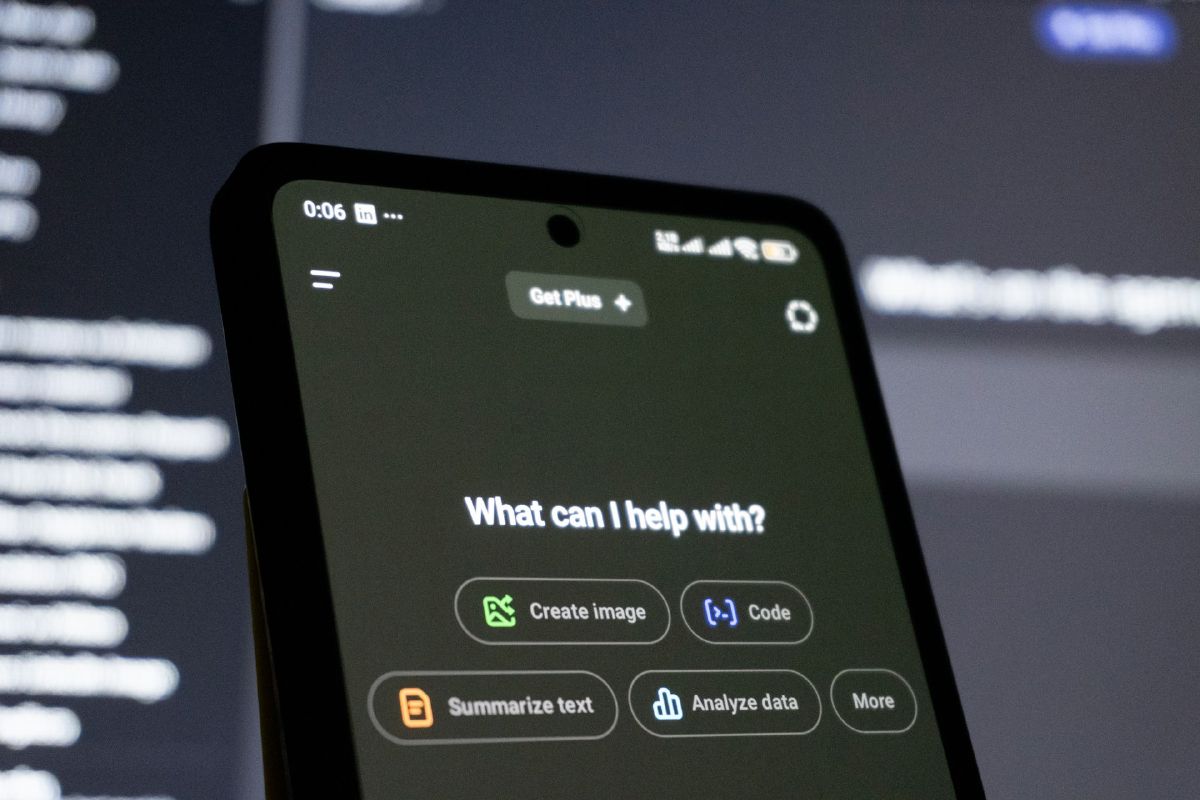
And here’s the detail almost nobody notices: in most of these apps, there’s a small dropdown menu (the model selector) that lets you choose which “brain” the AI will use to answer you. A light model, or a heavy one. That button is one almost nobody ever opens.
That’s a shame, because it’s probably the simplest digital sobriety habit there is. And it has an advantage that green habits rarely have: it asks for no sacrifice at all. Choosing the right model for the right task is at once faster, cheaper and more sober. All three pull in the same direction.
“Small” model, “big” model: what’s the difference?#
Imagine you just want to crack a hazelnut. You can grab a nutcracker, or pull the sledgehammer out of the garage. The sledgehammer will get there, of course, but it’s overkill: it’s heavy to wield, slower to set up, and the hazelnut ends up cracked just the same (when you haven’t pulverised it in the process).
AI models work the same way. A big model (also called a “frontier model”, the top of the range) is a huge machine trained to handle the hardest tasks: complex scientific reasoning, a tough maths problem, very fine-grained analysis. A small model (or “light” model) is a more compact, faster version that uses far less energy and does very well with everything that’s routine.
Two quick definitions
We measure the “size” of a model in parameters: think of them as the number of connections in an artificial brain. The more there are, the more capable the model is… and the hungrier. Some models also have a “reasoning” mode (sometimes called “thinking”): instead of answering off the cuff, the model “thinks out loud” before replying. Very useful for a complicated problem, but as we’ll see, it comes at a cost.
One important nuance: some services automatically choose the model for you (they “route” your question to the right brain). It’s convenient, but opaque: you don’t know what was used. The manual selector remains the only lever you really control.
Setting the record straight (both ways)#
On the subject of “AI and the environment”, you hear everything and its opposite. Let’s try to be fair, without falling into one excess or the other.
First, let’s dial down the drama. A simple request to an AI is not the environmental catastrophe we sometimes imagine. Charles Duprat (ICOM’Provence) published an analysis in March 2026 that frames the question differently: instead of looking only at the server, he measures the whole chain, from your first search to the final answer. Surprise: asking an AI assistant a question can use less energy than the same search done on the web from a phone. The study puts forward a ratio of about 5.4 times in favour of AI. Why? A modern web page weighs a lot (ads, scripts, images: 2.5 MB on average), whereas an AI answer is just text. The author tested how solid his calculation was with a simulation across 10,000 scenarios: the result holds.
In other words: using AI for a simple question is not an environmental sin, certainly no more so than a Google search. Breathe.
Now, let’s stay alert, because there are two traps.
The first is the reasoning mode we mentioned earlier. Making it “think” for nothing is very costly: according to the same analysis, these modes can use 30 to 700 times more than a direct answer. Turning on reasoning to ask for a pasta recipe is pulling out the sledgehammer for our hazelnut… and taking a running start on top of it.
The second trap has a name: the Jevons paradox. The idea is 150 years old and still true: when a technology becomes more efficient and easier to use, we tend to use it a lot more, to the point of cancelling out the savings made. Cars use less fuel than before, but we drive more. The microwave heats a plate for far less than the oven, except we use it ten times a day. AI follows the same path: the more convenient it is, the more we call on it. All the more reason for each call to be, individually, as sober as possible.
The tasks where the small model is more than enough#
In practice, for the vast majority of what we ask an AI, the small model does the job just as well as the big one, while answering faster. Here are the most common uses, the ones millions of people do every day, for which there’s really no reason to pull out the big machine.
Day to day:
- Rephrasing or softening a message: a slightly blunt word to get across, a delicate request to put politely.
- Translating an everyday text: an email, a message to a holiday rental host, a set of instructions.
- Summarising in plain language: an administrative letter full of jargon, an article that’s too long, terms and conditions.
- Explaining simply a complicated word: a medical term on a prescription, technical vocabulary, an acronym.
- Correcting the spelling and grammar of a text, without changing its style.
- Lending a hand around the house: a meal idea with what’s left in the fridge, a shopping list, a small schedule.
At work:
- Writing or rephrasing an email: a follow-up, a reply, a first point of contact.
- Turning scattered notes into a clean, structured summary.
- Formatting information: a table, a bullet list, a ranking.
- Summarising a meeting, a document, a long discussion thread.
For all this kind of request, the small model of each assistant (Claude, Gemini, Mistral, and so on) returns a result that’s usable as is, one you’d be hard pressed to tell apart from the big model’s. Except it answers faster and uses a fraction of the energy.
You’ll have noticed that I cite Mistral alongside the American giants. That’s deliberate. Providers from across the Atlantic communicate far more, are much more present in our daily use and have a head start in name recognition. But we can still be proud to have a French unicorn, Mistral AI, keeping a European player in the race: its models are designed in France and the company offers data hosting in Europe. Beyond raw performance, keeping a European champion is also a matter of independence: not depending solely on foreign players for a technology that’s settling in everywhere. That was worth saying. And if you want to try it, it’s right here: chat.mistral.ai.
And when is the big model worth it?#
Let’s be honest: there are genuine cases. As soon as you need multi-step reasoning (a slightly twisted calculation, tight planning with constraints that collide), a fine, nuanced analysis (weighing the pros and cons of an important decision), complicated code or a very specialised topic, the big machine makes the difference, and there it’s worth it.
So the right reflex isn’t to ban the big model, but to flip the order of things: start with the small one, and only step up if the result falls short. You’ll be surprised how rarely that happens.
Your concrete habits (the heart of the matter)#
If there’s only one thing you take away, it’s this paragraph. Three habits, zero sacrifice.
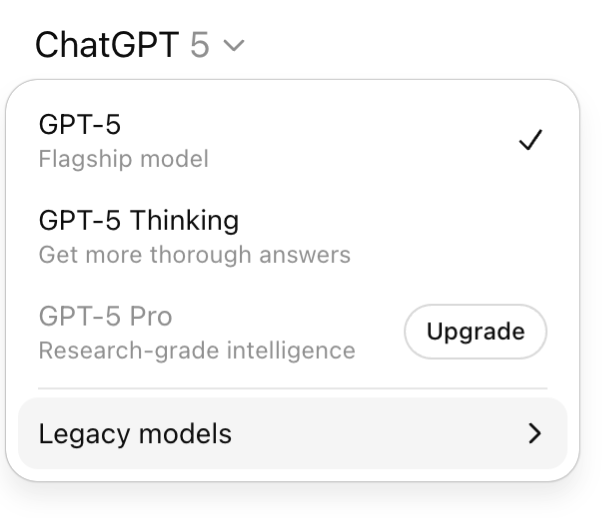
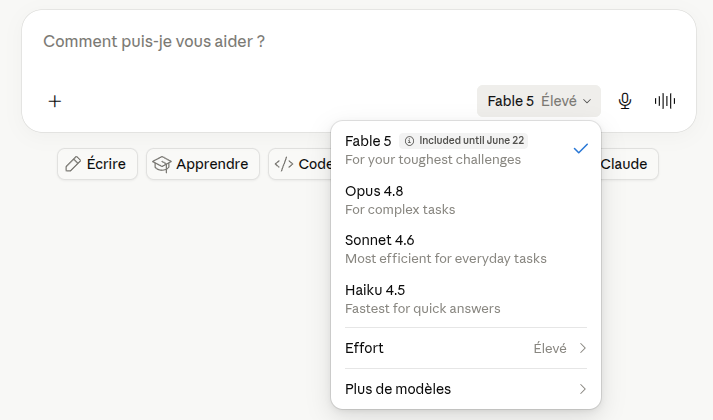
1. Open the model selector. This is THE one. In most apps, a menu lets you choose the model. Pick the light one by default, and only step up if the answer doesn’t satisfy you. It’s the exact opposite of the usual reflex. The one notable exception among the big players: on ChatGPT, this choice is reserved for paid plans; in the free version, the model is imposed on you automatically, with no choice on your part.
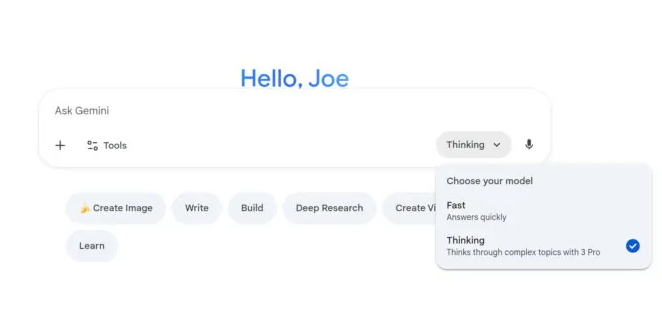
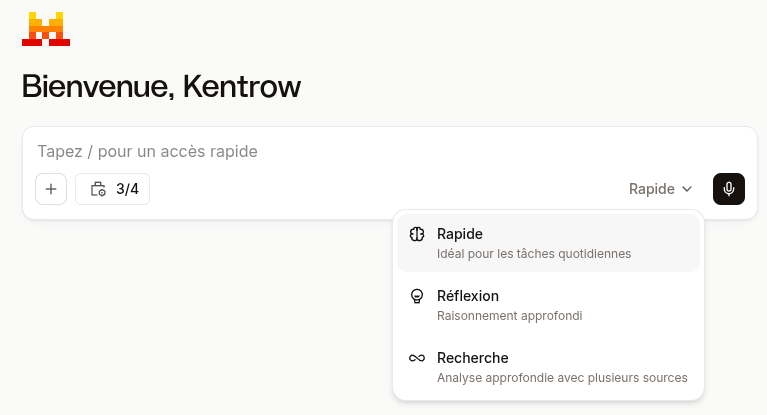
2. Turn off reasoning mode when it’s pointless. Remember: 30 to 700 times more energy. Keep it for the real head-scratchers (a calculation, a complex decision). For a recipe or an email, switch it off.
3. Write clear questions. Each back-and-forth is one more request. A precise question, with the useful context from the start (“write me a short, professional email to follow up with a client”), saves you three rephrasings. It’s more sober and it saves you time.
The rule to remember fits in one sentence: for the vast majority of your uses, the small model is enough. Start small, step up only if needed.
The real limit: we’re flying blind#
We do have to point out what’s wrong, and it doesn’t depend on you: AI providers are very tight-lipped about the actual energy use of their models. We have an energy label on fridges, washing machines and bulbs, but nothing equivalent, or almost nothing, on AI assistants. Today it’s impossible to know precisely how much a given answer from a given model uses. That’s exactly why you won’t find in this article any model-by-model consumption figures: nobody publishes reliable data at that level, and I’d rather stick to serious orders of magnitude than invent precise figures that would only look reassuring.
For the record, the International Energy Agency estimates that data centres accounted for about 1.5% of the world’s electricity in 2024, a share that could roughly double by 2030 driven by AI. It’s a societal issue that goes far beyond your dropdown menu, but your dropdown menu is right there, a click away.
And then there’s a possible next step, more radical and more fun: running a small model at home, on your own machine, without going through a single data centre. That’s well within reach of a homelab, and as it happens, that’s exactly the kind of thing I tinker with in my “My homelab from scratch” series. More on that another time.
In the meantime, the next step is simple. Next time you open your AI assistant, take a look at that little menu at the top of the screen. And just ask yourself this question:
Kentrow
Sources#
- UNESCO & University College London (2025), Smarter, smaller, stronger: Resource-efficient generative AI, unesco.org: ~0.34 Wh per request, more than 310 GWh/year, up to 90% energy savings with compact models.
- Charles Duprat, ICOM’Provence (March 2026), analysis of the full chain of an AI request vs a mobile web search, reported by Korben and the Journal du Net: a ratio of ~5.4 times in favour of AI, reasoning modes 30 to 700 times more energy-hungry.
- International Energy Agency (IEA), Energy and AI (2025), iea.org: data centres ≈ 1.5% of the world’s electricity in 2024 (415 TWh), with a possible doubling by 2030.
- Jevons paradox, Wikipedia: when the efficiency of using a resource increases, total consumption tends to rise rather than fall.